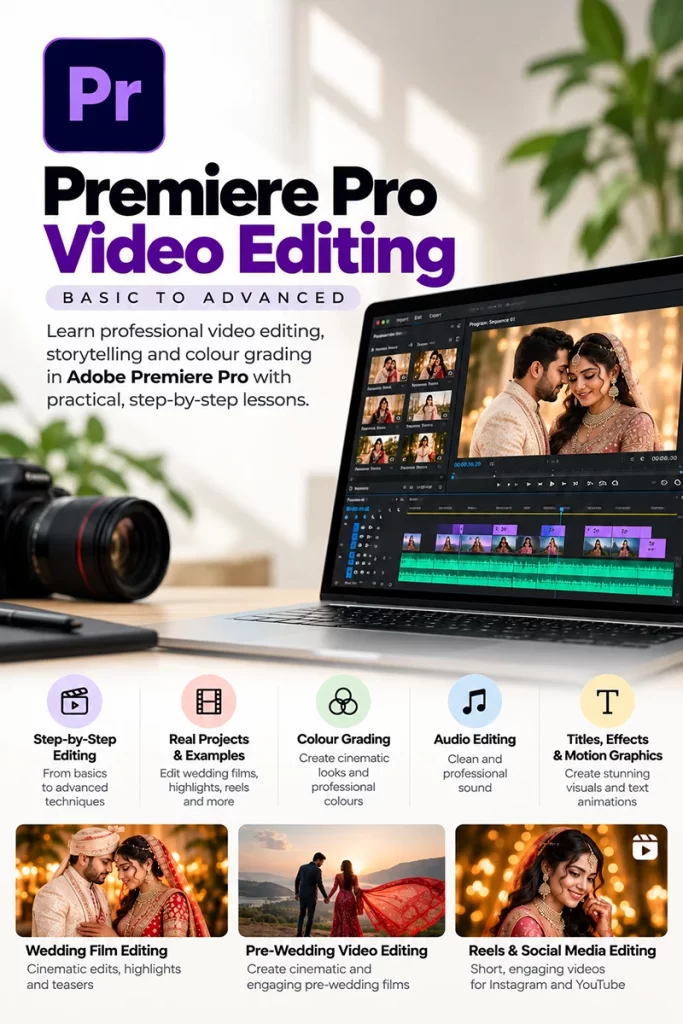
Are you tried of watching youtube videos for your wedding wedding video editing and still not happy with results then you have came to right place. My name is Mangesh Kathar a Proffessional Wedding cinematographer and Mentor, I have recorded courses specilly for Wedding Video Editing and advanced colour grading in both software like Premiere Pro and Davinci Resolve you can buy course right away and start your course, and you will get 100% lifetime support over WhatsApp and all practice footage like pre-wedding and Wedding.
Why Wedding Video Course online you need to take?
Many wedding and pre-wedding cinematographers capture perfect clips with emotions and proper cinematic shots, but when they sit down to edit, they don’t get the results they see their friends achieving. This can make you feel less confident about video editing and colour grading.
To edit perfect videos, you need a proper course that you can enrol in now. I have created this course with all my experience in the wedding industry and the editing knowledge I have gained over the years. You can buy my Complete Wedding Video Editing Online Course here.
You need a properly structured course to learn cinematic video editing along with trending LUTs and colour grading that you can also do manually. I have created the course in a way that you can start a 10+ hour course and watch and edit along with me because I have shared all the assets that I currently use for my wedding cinematic video editing.
You will get LUTs, S-Log3 wedding footage, and Rec. 709 footage, along with a step-by-step guide to choosing songs for highlights and editing beat-to-beat as per the song to make your videos more cinematic.
You need a proper mentor who is in the same industry as you. I’m a perfect mentor to help you level up your editing style. As I have mentioned, I have been editing videos since 2014. The first software I learned to edit with was Premiere Pro, and later I shifted to DaVinci Resolve.
Even now, I use Premiere Pro for my wedding editing because it’s faster to edit and colour grade compared to DaVinci. All my wedding highlight and full-length videos are edited only in Premiere Pro, but for Reels and Teasers, I use DaVinci so I can do colour grading and skin finishing more realistically.
Premiere Pro is great for faster editing, and once you learn Premiere Pro, you will be able to edit and colour grade wedding videos the way you want them to look.
You may have tried to learn from YouTube videos, and it can confuse you because it’s not meant to watch one video and learn everything. You need a proper course that will give you proper instructions step by step. I have created that course, and you can buy my recorded course here.
What Will You Learn in This Wedding Video Editing Course?
You will learn the complete wedding video editing workflow, starting from organising your wedding video data before importing it into Premiere Pro. I will show you how to import your footage, correct the frame rates of clips, create your editing timeline, and select the best clips from different cameras and wedding ceremonies. You will then learn how to place those selected clips into a new sequence and start creating your first cinematic wedding highlight video.
You will learn how to trim and cut clips, when to make the right cut, and how to match your clips with the lyrics and beats of the song.
When selecting songs for your teaser, reels, and highlight video, you will learn how to choose the right song for your cinematic wedding video.
Beat-to-beat editing is one of the most important skills to have as a wedding video editor because we need to arrange clips according to the lyrics and beats of the song. I have explained the complete beat-to-beat video editing process in this course.
One of the most demanding tasks wedding video editors need to handle is full wedding video editing. Many new video editors try to avoid this work because they find it difficult to find the right songs for matching different rituals and functions. For that, I have created a song collection that you will get for free once you buy our online course.
There are many types of reels we need to edit for weddings, and most of them are based on couple moments, wedding rituals, vidhi, grand entries, bride and groom getting ready, family moments, dance performances, and many more.
Every type of reel has a different mood and editing style. Some reels need to be emotional and slow, while others need fast cuts, beat-to-beat editing, and energetic music.
As a wedding video editor, you need to understand the mood of the moment and choose the right clips, music, transitions, and colour grading accordingly. The same editing style may not work for every wedding reel.
In my course, I also explain how I approach different types of wedding reels and how you can make them more cinematic and engaging.
You can also check my YouTube channel, where I post video editing tutorials.
Watch how I created a wedding reel in Premiere Pro
How Much Practice Do You Need?
You need to practice and practice, and it’s okay to make a few mistakes as a beginner. Don’t feel bad about those mistakes. Accept them, understand what went wrong, and try to correct them in your next project. Every project you edit will teach you something new, and slowly you will start understanding what looks good and what needs improvement.
To become extremely good at wedding video editing, you need to practice at least 30 reels and highlight videos. Don’t just watch tutorials and think that you have learned everything. Open Premiere Pro, take the footage and start editing by yourself. Give 100% of your time to improving your editing, colour correction, and colour grading skills.
In the beginning, your videos may not look exactly like the videos you see from experienced wedding editors. That is completely normal. You need to give yourself enough time to understand the editing process and develop your own editing style. The more videos you edit, the faster you will become at selecting clips, cutting clips, matching clips with music, and creating a proper story.
Before sending your final video to the client, you can ask your friend or another editor to review your edited video and give you honest feedback. Sometimes, when we edit our own video, we don’t notice small mistakes because we have watched the same timeline many times. A fresh person can notice things that you may have missed.
Ask them what they liked, what they didn’t like, where they felt the video was slow, whether the colour looks good, whether the music matches the clips, and whether any part of the video needs improvement. Take their suggestions positively and make the necessary changes before the final delivery.
To make perfect wedding videos, you need to practice on real wedding footage. Real wedding footage is very important because you will learn how to work with different lighting conditions, different cameras, different skin tones, different functions, and different types of shots. Editing only sample footage from tutorials is not enough if you want to become a professional wedding video editor.
Getting real wedding raw footage can be really difficult for editors who are just starting out. You may not have access to a complete wedding shoot with multiple cameras, different functions, S-Log3 footage, Rec. 709 footage, couple shots, rituals, entries, family moments, and other important wedding moments.
This is one of the reasons I have included real wedding footage in my course. You can purchase my course and get real wedding footage to edit and colour grade while watching my online video editing course. You can pause the lesson, open Premiere Pro, use the same footage, and edit along with me.
This will give you practical experience instead of only watching me edit. After completing the lesson, you can also try editing the same footage again by yourself and see how differently you can create the video.
Remember, becoming a good wedding video editor doesn’t happen in one day. Keep practising, keep making mistakes, keep correcting them, and keep improving your editing style with every project. The more you edit, the more confident you will become.
Can a Beginner Learn Wedding Video Editing Online?
Yes, a beginner can learn wedding video editing online. You don’t need to be an expert editor before starting. If you have basic computer knowledge and are ready to spend time practising, you can learn wedding video editing from home.
When you are starting, you may feel that wedding video editing is very difficult because you see professional wedding films with perfect colours, smooth transitions, beautiful slow motion, and perfect music. But you should understand that every professional editor was also a beginner at some point.
The most important thing is to start with the basics and learn everything step by step. First, learn how to use your editing software properly. Then start learning how to organise your wedding footage, select the best clips, cut and trim clips, add music, match clips with the beats and lyrics, and slowly start working on colour correction and colour grading.
You don’t need to learn everything in one day. Give yourself enough time to practise. Even if your first few videos don’t look perfect, don’t stop. Watch your own videos again and try to understand what you can improve in the next project.
One of the biggest problems beginners face is not having real wedding footage to practise with. Watching tutorials is helpful, but actually editing real wedding footage will give you much more confidence. You will understand how to work with different cameras, lighting conditions, wedding functions, skin tones, and different types of shots.
This is why I have included real wedding footage in my course. You can watch the lessons and edit along with me using the same footage. You can pause the video, try the technique yourself, and then continue with the lesson.
So yes, you can learn wedding video editing online as a beginner. You just need a proper learning path, real footage to practise with, and enough time and patience to improve your skills.
Why You Should Learn From Someone Who Actually Edits Weddings?
I have been shooting and editing weddings since 2014. At that time, getting a good computer for video editing was not easily possible, especially when you are just starting your career. Good computers were expensive, and editing wedding videos also required a powerful system because wedding footage can be very heavy.
I built my first computer in late 2016 and started editing my wedding videos properly in Premiere Pro. From then until now, I have edited most of my wedding films in Premiere Pro. Over the years, I have worked on different types of wedding videos, different cameras, different footage, different lighting conditions, and different wedding functions.
With time, I understood that learning the software is only one part of becoming a good wedding video editor. You also need to understand how to select the right clips, how to create a story, how to use music, where to cut the clips, how to maintain the emotion of the wedding, and how to make the final video look cinematic.
Even today, during the wedding season, when I have many projects to complete, sometimes my editor prepares a rough draft of the wedding video. I then check that draft myself and make the required changes to create the final video. I check the story, clip selection, music, cuts, colour, pacing, and overall feel of the video before it is delivered to the client.
This experience has helped me understand the complete process of wedding video editing, not just the software. I know what problems new editors usually face because I have also gone through the same learning process when I started.
That is why I believe getting a course from someone who is actually working in the wedding industry can be a good decision. You are not only learning where different tools are available in Premiere Pro. You are learning how I actually use the software for real wedding projects and how I approach different types of wedding videos.
When you purchase my course, you will also get 100% WhatsApp support for a lifetime. If you face any difficulty during your editing, you can ask me your questions on WhatsApp. If you are stuck with something while editing a wedding video, colour grading, selecting clips, or understanding any part of the course, you can contact me and ask your questions.
I believe this support is important because sometimes you understand a tutorial but when you try the same thing on your own footage, you may face a different problem. You may not know where you are making a mistake or what you should change. In that situation, you can ask me and get help instead of being stuck for many hours.
I have created this course from my own experience of shooting and editing weddings over the years. My goal is to help you learn wedding video editing in a practical way and give you the knowledge, footage, assets, and support you need to improve your editing skills.
You still need to practice and put in your own time, because no course can make you a professional editor without practice. But with the right guidance, real wedding footage, a proper editing workflow, and someone to support you when you get stuck, your learning process can become much easier and more structured.